


You carry the world on a small device: maps, messages, debts, glimpses of strangers’ lives. Proton VPN NetShield is one of those layers that slips between you and the world, a transparent membrane meant to keep prying hands, nags of tracking, and the small violences of advertising at bay. It is a privacy-first virtual private network with an ad- and tracker-blocking DNS filter called NetShield. Behind the curtain lies a global network and a promise: faster connections, fewer ads, and fewer breadcrumbs leading back to you.

What Proton VPN NetShield is
You get two things stitched together. First, Proton VPN: a curated network of servers—8,600+—spread across a 10 Gbps backbone, with a performance feature called VPN Accelerator that claims to speed connections up to 400%. Second, NetShield: DNS-level filtering that blocks ads, trackers, and malicious domains before they even start loading. The aim is simple: hide your IP, speed up and smooth your browsing, and strip away tracking and malicious content at the DNS stage rather than relying on client-side browser extensions.
Who it’s for
You should consider Proton VPN NetShield if you are privacy-conscious, if you stream content across borders, if you resent tracking and want a built-in blocker, or if you favor services audited publicly and built openly. If you’re someone who prefers to avoid installing another browser extension because of browser bloat, NetShield gives you a central filtering mechanism. If you stream and want reliable unblocking, the 10 Gbps backbone and accelerator might matter to you. If you want everything in one place—VPN plus email, storage, and calendar—there are bundled premium options.
Performance and Speed
You can feel network speed the way you feel the weather: sudden and immediate. Proton VPN promises speed that isn’t just marketing puff but an engineered improvement—8,600+ servers over a robust backbone and VPN Accelerator designed to reduce latency and increase throughput. That translates into less stuttering, faster downloads, and smoother streaming.
Network and VPN Accelerator
VPN Accelerator works by optimizing TCP/UDP handling and using alternative routing to reduce the number of hops and queueing delays. In plain terms, fewer bottlenecks. On a 10 Gbps backbone, this matters. For you, the day-to-day result should be more consistent throughput and fewer instances where a buffering wheel becomes a small, black insult.
When you connect to nearby servers, the speed gains are most visible. You will notice smaller increases with very long-distance hops (some physical limits remain), but many users see marked improvements over conventional VPN setups. Proton’s claim of up to 400% faster speeds signals a peak-case scenario; typical improvements are more modest but still meaningful—especially if your ISP throttles certain traffic or if your path to streaming services is congested.
Real-world streaming, torrenting, browsing
In truly practical terms, Proton VPN NetShield is built for those moments when you want uninterrupted video, secure file transfer, or quiet web browsing. Streaming tends to be stable—you should be able to access major platforms with minimal buffering. Torrenting works well when you pair the right P2P-optimized servers; speeds will depend on peers and seed availability. Browsing is cleaner and faster, especially with NetShield switched on because DNS-level blocking prevents many ad scripts from initiating, cutting down on page weight and rendering time.


Privacy and Security
There is an old saying: privacy is not a secret, it is a structure. Proton VPN tries to be that structure: open-source apps, third-party audits, and a strict no-logs policy. For you, this is reassurance: someone opened their doors and let auditors look, and someone else confirmed you aren’t being cataloged in secret ledgers.
NetShield DNS filtering
NetShield intercepts DNS queries and filters them according to categories: ads, trackers, and malicious domains. Operating at the DNS level means it blocks bad content before it reaches the browser or app. For you, it looks like fewer popups, fewer third-party connections, and fewer attempts to fingerprint the device.
NetShield’s architecture has meaningful advantages: it works across apps (not just in a browser), it prevents many problems before they start, and it avoids the resource and privacy issues of browser extensions that inject themselves into webpages. The practical upshot: faster page loads and fewer connections to advertising networks.
No-logs, open source, audits
You will find comfort in Proton’s public stance. The VPN apps are open source, which means independent experts can examine the code. Third-party audits add another layer of verification. The stated no-logs policy is enforced technically and operationally, and Proton is careful about transparency reports and legal responses. If you want to pick apart the particulars, Proton publishes documentation and audit results; if you want to assume the company might err, you still get more visible accountability than many competitors provide.
Encryption and protocols
Proton VPN uses modern, robust protocols and strong encryption. WireGuard and OpenVPN are supported; WireGuard offers a lightweight, high-performance tunnel and is commonly used for fast connections. Proper key management, forward secrecy, and secure handshakes are in place so that, for everyday concerns and even many targeted threats, your data is well protected in transit.
Features and Usability
Even the most elegant security will fail if you can’t use it. Proton VPN NetShield aims to be practical and approachable without dumbed-down shortcuts.
Apps and platforms
You will find native apps for Windows, macOS, Linux, iOS, Android, and some router configurations. The layout tends toward clarity: quick-connect buttons, server lists, and NetShield toggles. If you are device-averse, Proton supports multiple simultaneous connections so you can protect phone, tablet, and desktop at once.
Ease of setup and use
Setup is straightforward. You create an account, choose a plan, download the client, and follow guided configuration. NetShield can be enabled with a simple switch. For the power user, there are options: split tunneling, protocol selection, and custom DNS. For most people, defaults are sensible. You can set NetShield to different levels (block ads, trackers, and malware) and use exceptions if a site requires unobstructed DNS queries.
Extra tools (email, storage, calendar)
Proton positions itself as a privacy ecosystem. If you opt for premium tiers, you can integrate ProtonMail, Proton Drive, and Proton Calendar. That consolidated approach matters if you want a single trusted vendor for secure mail, cloud storage, and scheduling. For you, the psychological benefit of fewer accounts scattered across vendors is real; it simplifies threat surfaces and reduces the number of places where your data is held.
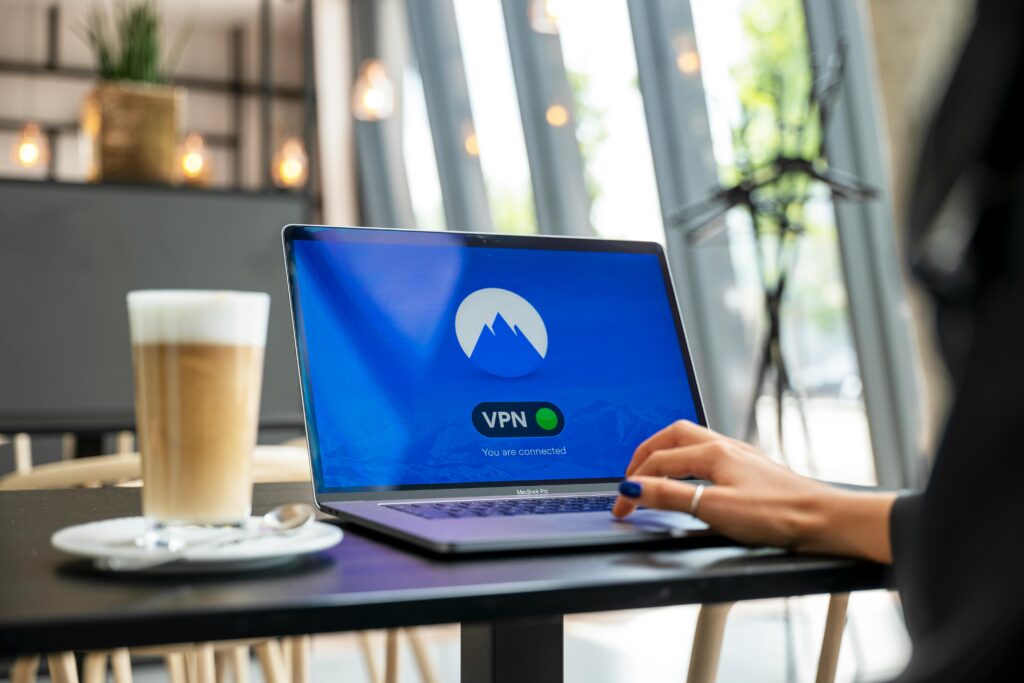
Streaming and Unblocking
Streaming is a negotiation between content, geolocation, and player restrictions. Proton VPN NetShield is designed to help you pass as a local viewer in another country when that is acceptable to your use-case.
Services and geo-unblocking
You should be able to access a wide range of streaming platforms and region-locked libraries. Netflix, Amazon Prime, Disney+, and Hulu are typically reachable when using servers in the appropriate country. Some platforms put up more resistance and periodically block IP ranges; Proton responds with server rotations and dedicated streaming servers to maintain access.
Speed and reliability
When unblocking is successful, the 10 Gbps backbone and Accelerator reduce buffering. For high-definition or 4K streams, stable throughput is critical; Proton is built to sustain this under normal conditions. The experience should feel like a local connection—once you are connected, latency and throughput should not betray the fact that you are elsewhere.
Ads, Trackers, and NetShield in Practice
You will notice NetShield most in the quiet it brings: pages that used to clatter with trackers now load with fewer background calls. Ads that once reshaped a site or forced a pause are blocked at a higher level.
Ad-blocking levels
NetShield typically offers several protection modes:
- Basic: blocks known malicious domains.
- Balanced: blocks ads and trackers plus malicious domains.
- Strict: broader blocking that may affect some site functionality.
For day-to-day browsing you will probably choose Balanced. Strict can break some pages that rely on third-party scripts for payment processing or embedded media, but it’s useful when you want maximal restrictions.
Configuration and exceptions
You can whitelist domains if a site requires certain third-party services to function. For example, if you have a streaming page that stops loading because of an ad provider check, you can add an exception. Proton makes this manageable through its dashboard.

Server Network and Locations
If servers are the seams in a fabric, Proton’s are extensive. More servers typically mean less crowding, more regional options, and better chances of finding a fast nearby node.
Global coverage and server types
Proton advertises 8,600+ servers across many countries. This includes specialized servers for P2P, Tor-over-VPN, and streaming. The backbone is a 10 Gbps network which reduces bottlenecks, and the VPN Accelerator works to improve throughput. Some servers are virtualized for flexibility; others are physical, depending on regional constraints.
Quick specifications table
| Feature | Details |
|---|---|
| Servers | 8,600+ servers worldwide |
| Backbone | 10 Gbps global backbone |
| VPN Accelerator | Optimizations for TCP/UDP, reduced latency, faster throughput |
| NetShield | DNS-level ad, tracker, and malware blocking |
| Protocols | WireGuard, OpenVPN (and others where applicable) |
| Audits/Open Source | Client apps open source; third-party audits performed |
| Jurisdiction | Proton based in privacy-friendly jurisdiction (Switzerland) |
| Extra services | ProtonMail, Proton Drive, Proton Calendar (bundled in premium) |
| Money-back | 30-day guarantee |
| Pricing structure | Monthly, yearly, multi-year plans; promotional discounts available |
Privacy Policy and Trust
You will want to know where Proton sits relative to the law. Switzerland has strong privacy protections and is outside major surveillance alliances. That jurisdictional choice matters: it reduces the legal pressure to retain logs, though no place is perfectly immune.
Audits and transparency
Proton publishes audit summaries and allows researchers to inspect code. For you, that means third parties have poked and prodded. Audits do not guarantee perfection; they do mean that the service’s promises have been tested and that issues discovered are more likely to be fixed responsibly.
No-logs and what it means
No-logs means Proton will not maintain records of your browsing history or connection metadata in a way that can be trivially handed over. That does not mean they operate as if spikes in traffic do not exist; systems require telemetry for management. Proton’s approach is to minimize retained data and to be explicit about what is and isn’t stored.

Pricing and Plans
You will find flexible options. Free tiers exist with limited features; premium tiers unlock NetShield at advanced levels, secure email, more simultaneous connections, and the Accelerator. Proton often runs promotions (sometimes up to 70% off).
How to choose a plan
- If you are curious and cautious, start with the free plan or a monthly plan to test servers and NetShield behavior.
- If you want the full package—email, storage, and calendar—choose a premium bundle for better value.
- Multi-year plans lower annual cost but require a longer commitment; weigh immediate savings against your tolerance for tying up cash.
Money-back guarantee and refunds
If Proton’s features don’t align with your needs, there’s a 30-day money-back guarantee. For you, that means a safety net: test and, if unsatisfied, reclaim your funds.
Pros and Cons
You will appreciate both the strengths and the trade-offs.
Pros
- Strong privacy posture: audited, open-source, no-logs policy.
- Solid global infrastructure: 8,600+ servers and 10 Gbps backbone.
- VPN Accelerator: meaningful speed improvements for many users.
- NetShield: DNS-level blocking across apps, not only browsers.
- Bundled premium services: adds value if you want secure email and storage.
- Flexible plans and reasonable refund policy.
Cons
- Some streaming platforms may still block certain IPs intermittently.
- Strict NetShield settings can break site functionality; whitelisting is occasionally necessary.
- Cost: premium tiers are not the cheapest on the market, especially if you don’t use the bundled services.
- Very-long-distance connections still limited by physics; VPNs cannot create magic.
Setup Walkthrough
You will find setup uncomplicated. Follow these steps:
- Choose a plan on Proton’s site and create an account.
- Download the client for your device (Windows, macOS, Linux, iOS, Android).
- Install and log in with your Proton credentials.
- Select a server (Quick Connect or choose by country).
- Enable VPN Accelerator if you want improved throughput.
- Enable NetShield and choose the protection level (Balanced recommended).
- Test a streaming service or a speed test to verify performance.
- Add whitelists for sites that misbehave under NetShield, if necessary.
Troubleshooting and Tips
You will sometimes encounter the kind of friction that makes you suspect the world has other plans. Here are ways to keep that friction small.
- If a site breaks, try toggling NetShield off for that site or add it to your whitelist.
- If streaming fails, switch servers within the same country or try a dedicated streaming server.
- If speeds are slow, confirm VPN Accelerator is enabled and test a nearby server to compare.
- For P2P, use designated P2P servers and check that your plan permits torrent traffic.
- Keep apps updated; security fixes and performance improvements arrive regularly.
- Use split tunneling to keep sensitive apps through the VPN and let latency-sensitive local services bypass it.
Additional Considerations
You will want to think beyond a single app. Evaluate Proton VPN NetShield as part of an overall approach: browser hygiene, password management, and device updates will combine with the VPN to create meaningful protection. One protective layer is not enough; synergy matters.
- Device security: a secure device reduces attack vectors even when your network is protected.
- Passwords and MFA: secure accounts with strong passwords and two-factor authentication.
- Threat model: think about the specific adversaries that concern you—ISPs, ad companies, casual snoops, or more sophisticated actors—and tailor your tools accordingly.
Final Verdict
You live in an age where invisibility is rare and privacy a deliberate act. Proton VPN NetShield will not render you invisible, but it will make you a harder and less valuable target. Its combination of a robust global network, performance-oriented features, and DNS-level filtering gives you practical benefits immediately: faster loads, fewer unsolicited trackers, and a clearer sense of control. Its openness and audits offer a higher level of trust than many competitors. For streaming, browsing, and daily privacy concerns, you will find it capable and, in many cases, exceeding expectations. If you weave it into a broader privacy practice—device security, strong passwords, and cautious online habits—you will have a compact, resilient structure around your digital life.
If you want, you can ask for a concise comparison with some competitors, a sample configuration for specific streaming services, or a step-by-step NetShield whitelist guide tailored to a particular site.
Disclosure: Some links are affiliate links. If you buy through them, I may earn a commission at no extra cost to you.


